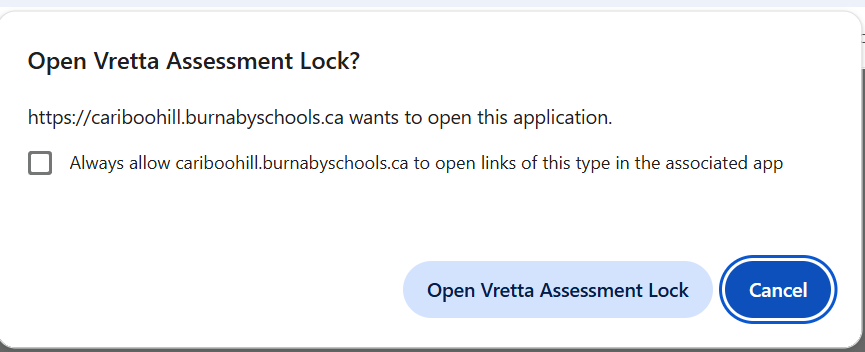
The link to launch the Asessment Lock browser is at the end of this page. When you launch it, the computer may give the following warning message:
Click the "Open" button to start the application. As the program opens, it will close or request to close any applications that cannot be running during the exam. Please allow it to close the applications so that you can continue to the exam page.
To exit the Assessment Lock normally, navigate to the end of the assessment and click submit. If the need to quit the assessment early arises, locate the “Exit assessment lock” button on the top right of the page. The program will ask you to enter in a password. Please put your hand up and the teacher who is supervising the exam will enter the proctor password for you before you are dismissed.
vealock://s3.ca-central-1.amazonaws.com/authoring.mathproficiencytest.ca/user_uploads/907188/authoring/1776785738211_BCED-GRAD-November-2025/1776785738119/1776785738211_BCED-GRAD-November-2025.seb
Good luck!